Now available in Beta

Stop doing bonds twice

Receipt, disburse and lodge with Tenancy Services in one workflow. Track general and pet bonds separately and release only the bonds that are ready.

Bonds shouldn't take three systems and a workaround

Icon money send

Disburse bond by bond

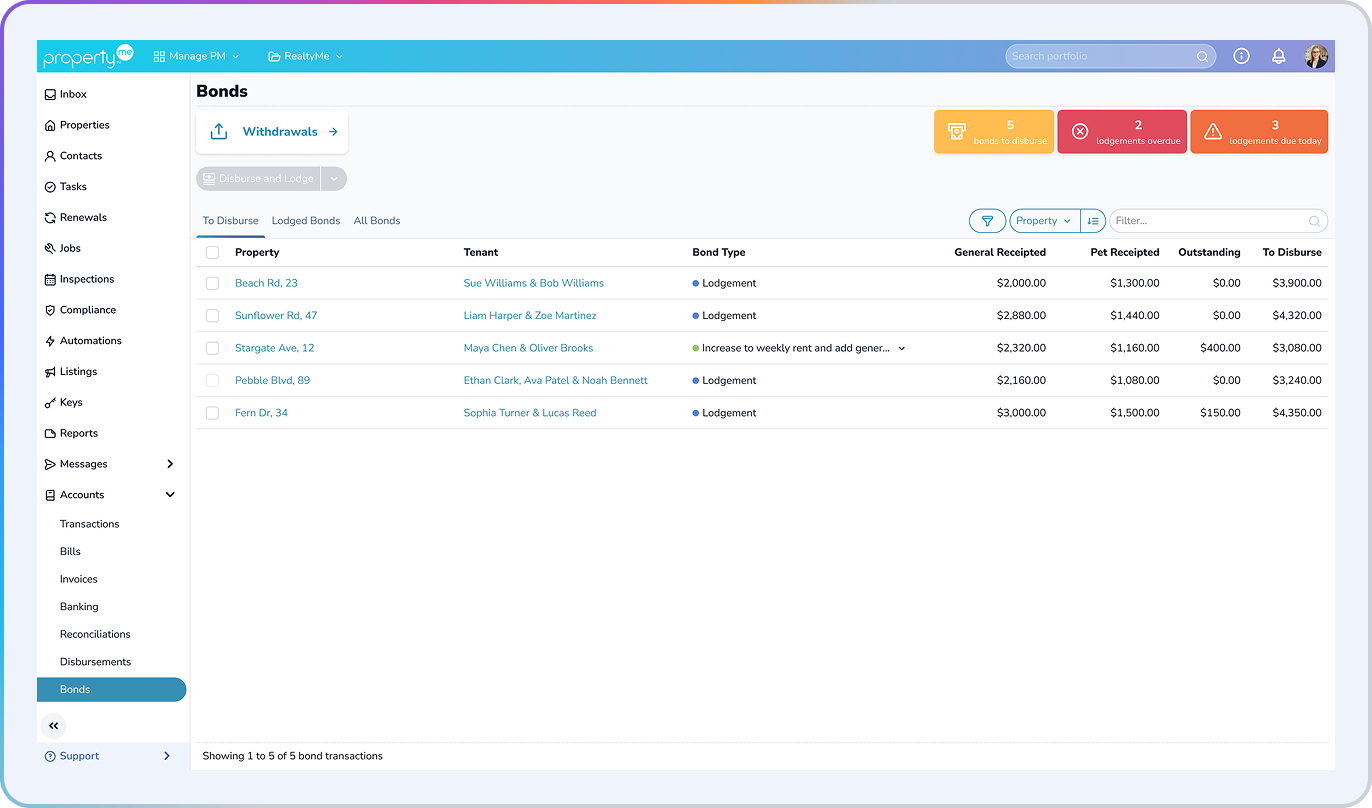
Each bond gets its own row, with the tenancy attached. Disburse the bonds that are paid in full and hold the rest until the tenant finishes paying, so reconciliation stays clean.

Icon wallet

A proper home for pet bonds

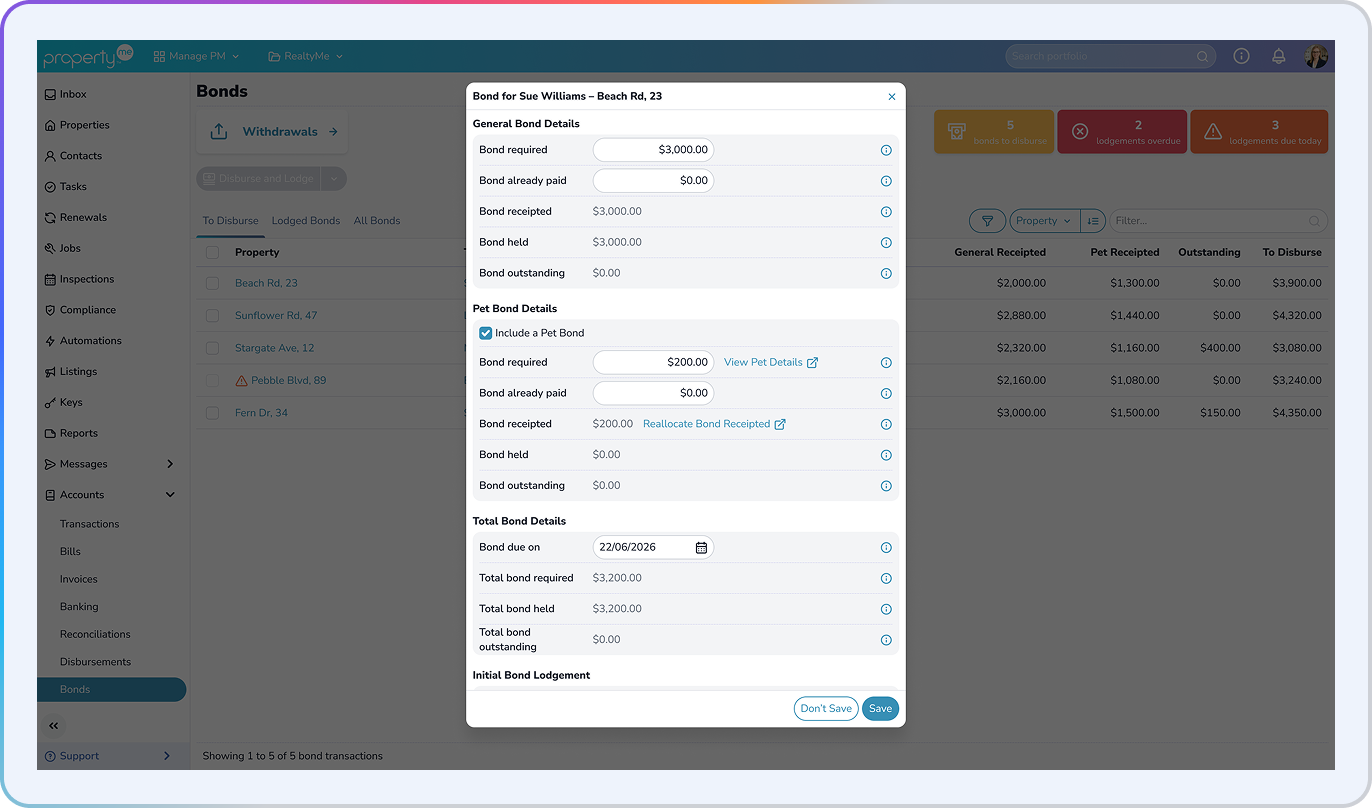
Pet bonds became law in New Zealand on 1 December 2025. Now they sit alongside general bonds, with their own required, held and outstanding amounts, so your team can see exactly what's held at a glance.

Icon clipboard tick

Lodge where you receipt

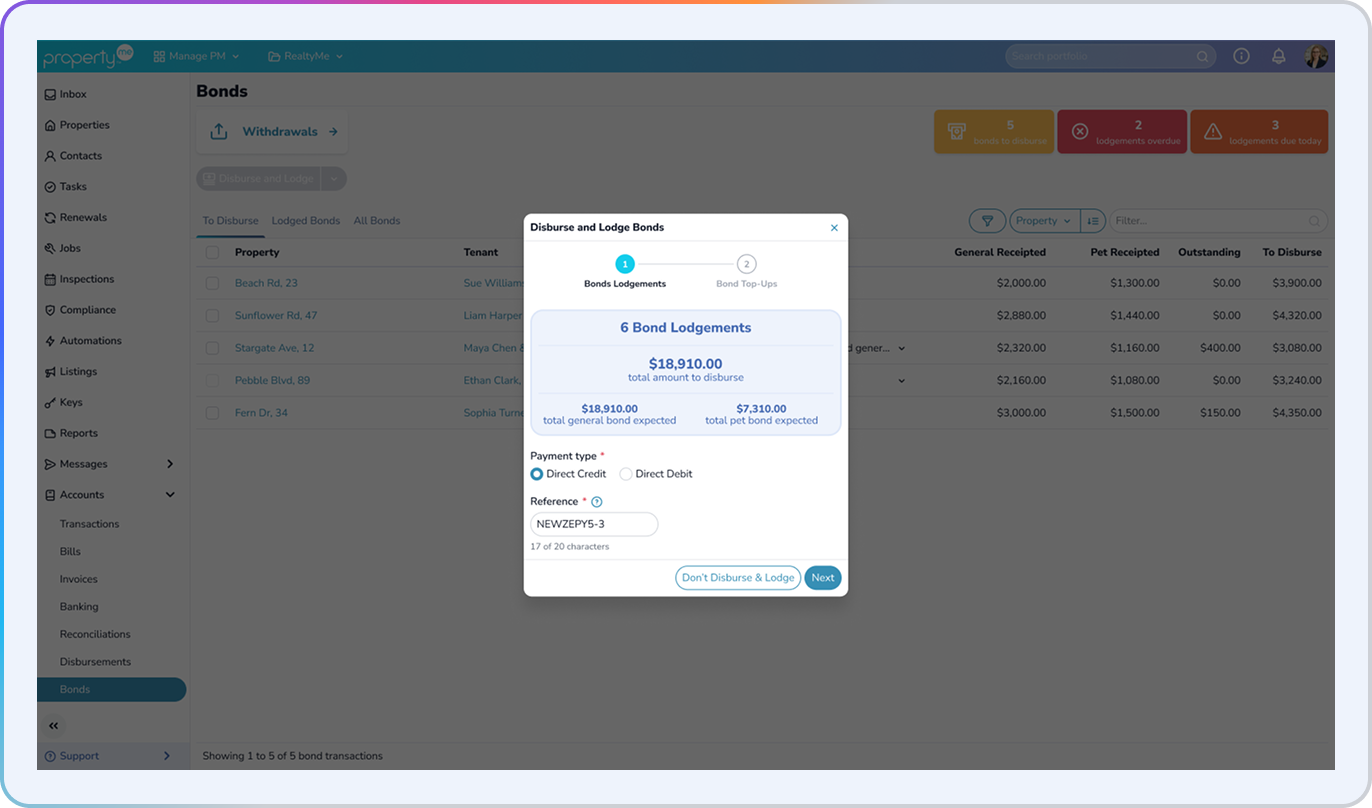
As lodgement moves online, keep it in the same place as the money. Receipt, disburse and lodge with Tenancy Services in one system, up to 50 bonds at a time.

Pet bonds

General and pet bonds, side by side

Every tenancy now carries a general bond and a pet bond, each with its own required, held, outstanding and receipted amounts.

  • Receipt to general, pet or both from the tenant receipt modal
  • Set pet bonds during rent reviews and adjustments
  • Add pet, general and total bond to message templates with new merge fields
  • Report on bonds with new opt-in columns on Tenant Arrears, Tenant Detail, Renewal and Rent Increase reports
All bonds

Every tenancy's bond position on one page

The new Bonds page under Accounts lists every tenancy with its bond required, held, outstanding, due date and lodgement status.

  • Countdown pills flag what's due soon and what's overdue
  • Filter by Property Manager or team, occupancy status, due date and lodgement status or date
  • Message tenants from the list for bond arrears, reminders and lodgement confirmations
  • Open the bond modal from any row to view the detail or make changes
To disburse

Disburse the bonds that are ready, not the whole balance

Your Bond Authority balance is broken into one row per bond, with tenancy detail attached. Pick one, some or all.

  • No more all-or-nothing disbursement
  • No more manual folio withdrawals as a workaround
  • Know exactly which tenancy each transaction belongs to
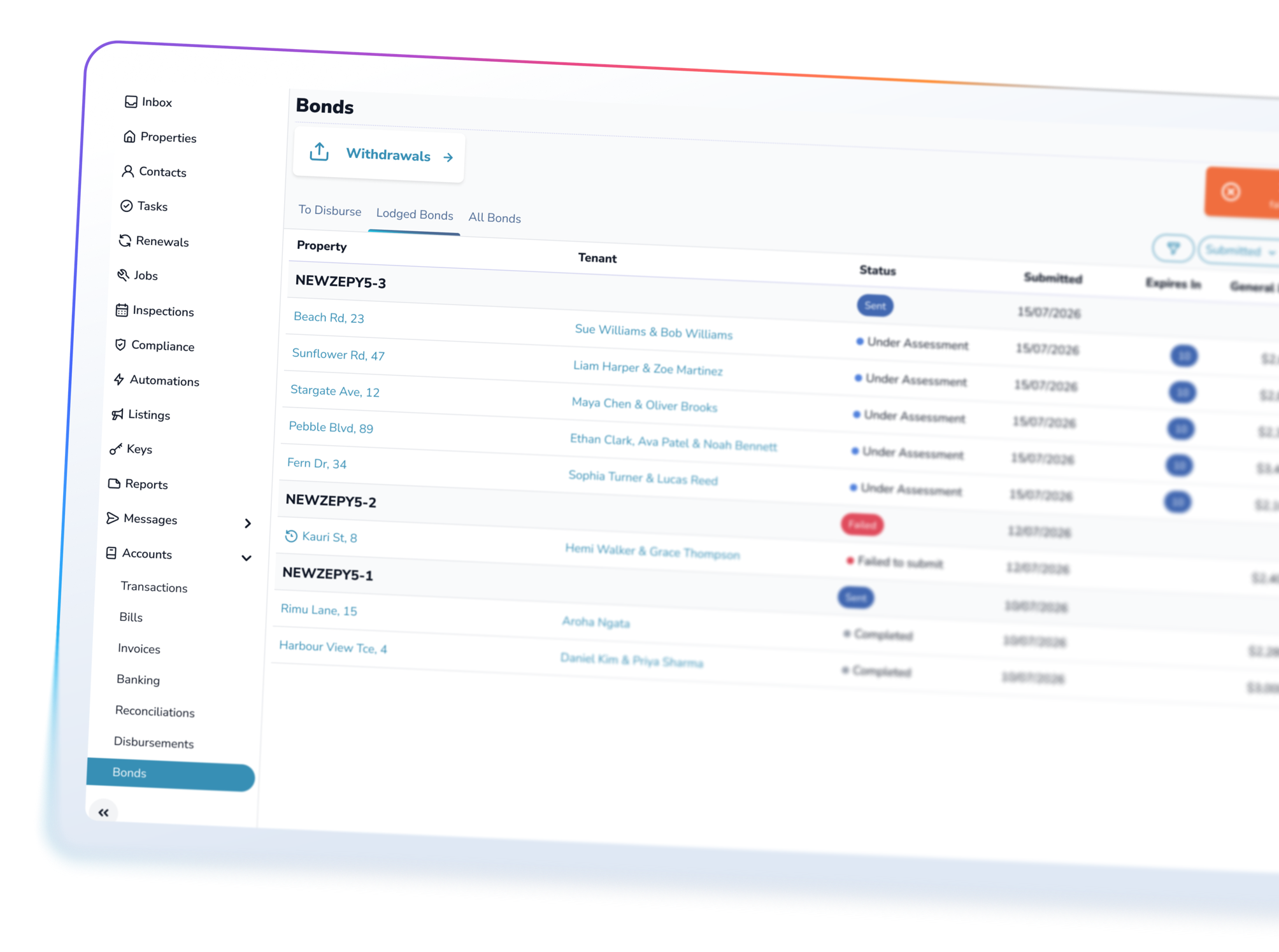
Lodged bonds

Lodge with Tenancy Services in the same step

Connect your portfolio once through RealMe, then disburse and lodge in a single action.

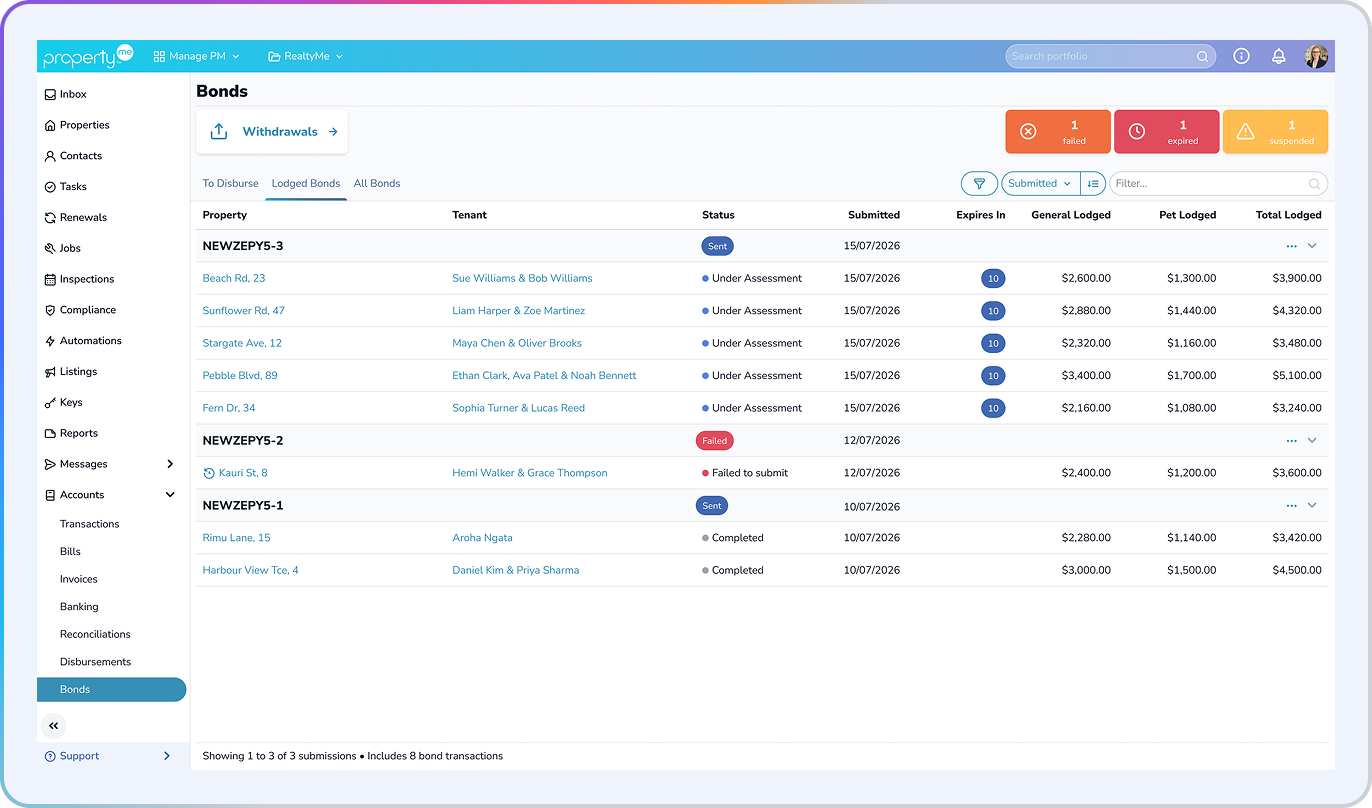
  • Bulk lodge up to 50 bonds in one submission
  • Track every submission on the Lodged Bonds tab, one row per batch
  • Expand a batch to see each bond inside it, with status at both levels

The whole bond chain, in your trust accounting software

Lodgement tools can lodge a bond. They can't receipt it into trust or disburse it. PropertyMe does all three, so the money arrives, leaves trust and is lodged with Tenancy Services in one system.

Disburse what's actually ready

Come back to the rest when the tenant has finished paying.

Stop doing the job twice

One workflow disburses and lodges.

Know where every transaction belongs

Tenancy detail sits on every row.

Catch bond arrears early

Due and overdue bonds are in front of the team.

Frequently asked questions icon

Frequently asked questions

Only to lodge from PropertyMe. Pet bonds, the All Bonds view and selective disbursement work without it. You connect your portfolio once through RealMe.
Up to 50 in a single submission.
Not yet. This release covers lodgement. Bond refunds, change of ownership and change of tenant aren’t included.
Basic, Standard and Advanced, for New Zealand portfolios.

See bond lodgement in PropertyMe

Book a demo with our New Zealand team.